Step 2-3: Fill in Application Details - Applicant's particulars
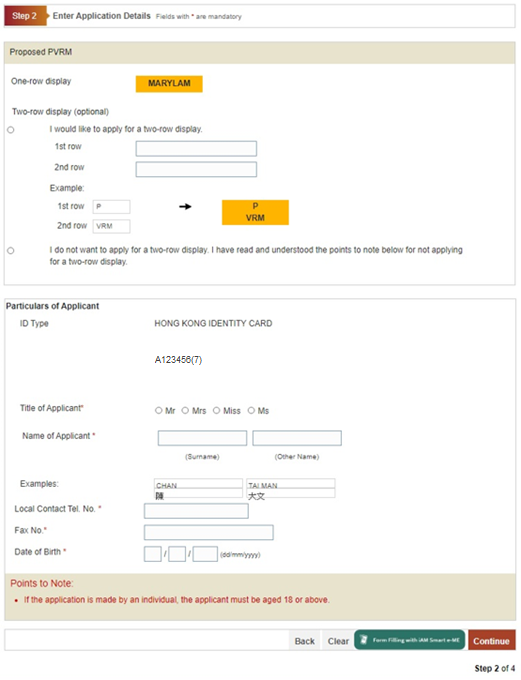
Form-Filling with iAM Smart e-ME:
-
Press “Form-Filling with iAM Smart e-ME”
-
Press <Back> button to go back to the previous screen; or
Press <Clear> button to clear and re-enter the data; or
Press <Continue> button to go to the next step to fill in the application details.
On completion:
-
Press <Back> button to go back to the previous screen; or
Press <Clear> button to clear and re-enter the data; or
2. Web page shows instruction to authorise “iAM Smart” to provide “e-ME” information.
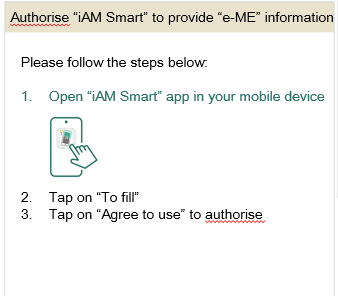
3. Open “iAM Smart” app in your mobile device.
4. Tap on “To fill”.
5. Select “Agree to use” to authorise.
6. The e-ME profile was filled.