If you are using iAM Smart for authentication, please follow the following steps.
If you are using Personal Certificate for authentication, please skip to step 3-2.
Step 3 : Submit Application
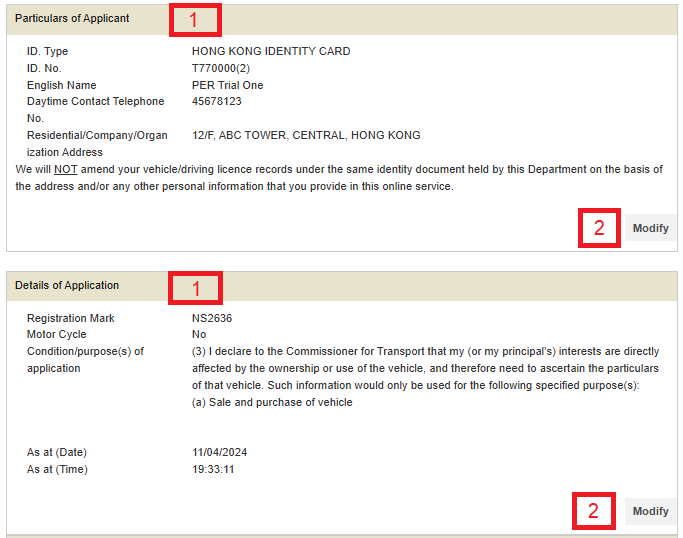
- Check whether the details are correct.
- Click "Modify" to change the details when necessary.
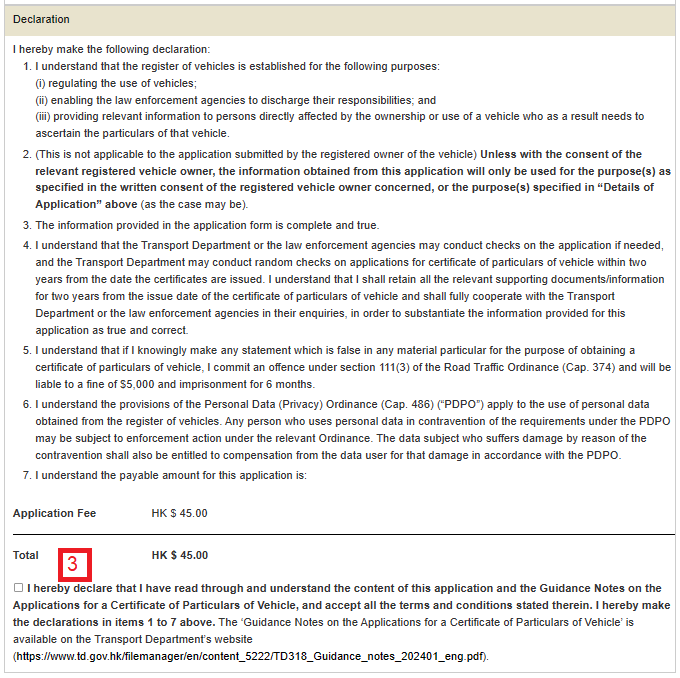
- Tick the box to make the declaration.
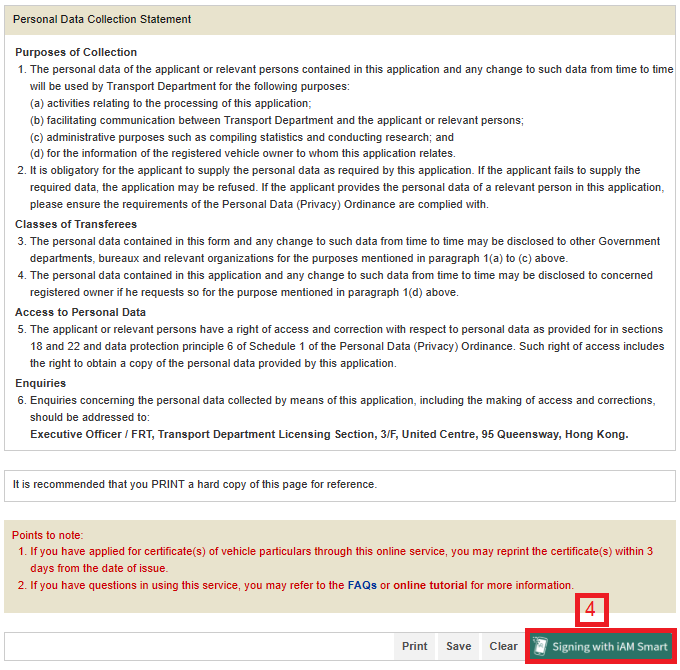
- Press “Signing with iAM Smart”
On completion:
-
Press "Save" button to save this page in a file. or
Press "Print" button to print this page to a printer.
1. Web page shows instruction to sign your application with “iAM Smart”.
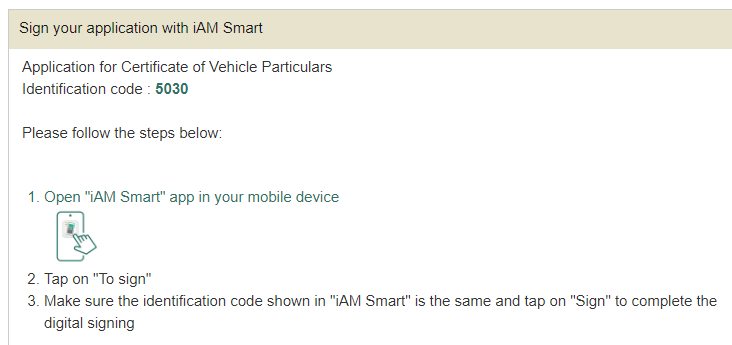
2. Open “iAM Smart” app in your mobile device.
3. Tap on “To sign”.
4. Make sure the “Identification code” shown in “iAM Smart” is the same as shown in web page and tap on “Sign” to complete the digital signing.